 SEGLY
SEGLY
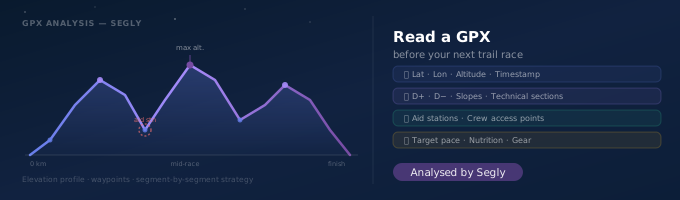
The race organiser has just published the official route in GPX format. You download it... now what? For many runners, this file remains a black box: a filename transferred to their watch without really looking at what it contains. Yet, read properly, a GPX file already tells a large part of your upcoming race.
What is a GPX file?
GPX (GPS Exchange Format) is a standardised text file format that records a series of geographic points: latitude, longitude, and most often altitude, at regular intervals along a course. It is the universal format used by GPS watches, route sharing sites and race organisers to describe a course.
What a GPX file actually contains
- The track: the succession of points that draws the course on a map.
- The elevation profile: the altitude at each point, from which positive and negative elevation gain is derived.
- Points of interest (waypoints): aid stations, life bases, summits, sometimes added by the organiser.
- Sometimes a timestamp: useful if the GPX comes from an already-recorded activity rather than an official route.
How to open and visualise a GPX
Several options depending on what you want to see:
| Tool | Use | Limitation |
|---|---|---|
| Map viewer (IGN, OpenRunner, Strava) | View the route and terrain | No segment-by-segment analysis |
| Elevation profile editor | View the elevation curve | Static visualisation, no race plan |
| Race analysis tool (Segly) | Split times · pace · nutrition · equipment | — |
What to look for before the race
A useful reading of a GPX before a race looks for answers to specific questions:
- Where are the longest or most technical climbs and descents?
- Is there a sequence of difficulties without a nearby aid station — an exposed section in case of trouble?
- Does the profile change in character towards the end of the race (more runnable terrain to finish fast, or conversely more technical when fatigue is at its peak)?
- Which sections require specific equipment (rocky passages, altitude, weather exposure)?
The difference between viewing a GPX and analysing it
Reading a GPX "by eye" gives a general impression of the course, but remains approximate for building a real strategy. It is difficult to precisely estimate a target pace per segment, an hourly nutritional need or an equipment list without systematic processing of the file's data.
Three things that simple visualisation cannot do:
- Calculate a target pace per segment taking into account elevation, gradient and altitude — not just distance.
- Apply a fatigue factor that progressively slows pace in the second half, where you will need it for realistic split times.
- Cross-reference the profile with the forecast weather to adjust clothing and nutrition recommendations accordingly.
From raw GPX to a real race plan
The GPX file is the starting point, not the destination. What you want to extract from it is a workable plan in the field: split times aid station by aid station, pace segment by segment, and concrete recommendations on nutrition and equipment for each section.
This is what Segly builds automatically from your GPX file. Simply import it to get an automatic breakdown of the course into segments, with target pace, forecast weather, nutrition and recommended equipment for each one — without having to interpret the elevation curve yourself. You keep full control over every parameter: adjust the base pace, the fatigue factor, or the terrain characteristics on any segment to refine the plan based on your knowledge of the course.
Key takeaways
- A GPX contains the track, altitude point by point, waypoints and sometimes a timestamp.
- Map visualisation gives a general impression; segment analysis gives a strategy.
- Key questions: where are the difficulties concentrated? Are there exposed sections without an aid station? Does the profile get harder towards the end of the race?
- A dedicated tool automatically cross-references the GPX profile with your level, the weather and your fatigue factor to produce realistic split times.
See also
Ready to turn your GPX into a race plan? Import the official route on segly.vo2run.app and get in seconds a segment-by-segment breakdown with pace, nutrition and equipment for each portion.