 SEGLY
SEGLY
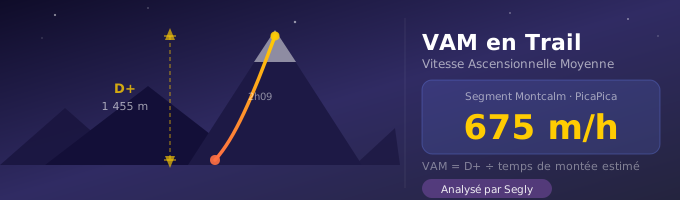
You know your speed in km/h. You know your elevation gain. But do you know how fast you’re climbing? Not in kilometers per hour—in meters per hour. That’s exactly what VAM measures, and it’s the data that was missing from Segly. It’s now available for every mountain segment.
What is VAM?
VAM stands for Average Ascent Speed. It’s expressed in m/h (meters per hour) and measures how much elevation gain you climb in one hour.
The formula is simple:
For example, if you climb 1,455 meters of elevation gain in 2:09—as on the Montcalm segment of the PicaPica—your VAM is approximately 675 m/h.
What makes VAM interesting is that it isolates the effort put into climbing. Unlike speed in km/h, which combines climbing, descending, and flat terrain, VAM measures only the ascent. Two runners can have the same average speed on a mixed segment but very different VAMs—and therefore very different race profiles.
Why it’s useful in trail running
1. Pacing your effort from the start of an ascent
In an ultra, it’s tempting to start out too fast on climbs—especially in the first few hours. VAM gives you a concrete benchmark. If Segly predicts a VAM of 650 m/h on a segment, and you’re climbing at 900 m/h in the first few kilometers, you know you’re going too fast. Anticipate rather than react.
2. Compare your performance from one race to the next
Distance and total elevation gain vary from one race to another, making comparisons difficult. AVM, however, is universal. Whether you’re running a 5-km KV or a 100-km ultra, an AVM of 750 m/h always corresponds to the same level of effort in the mountains—provided you take accumulated fatigue into account.
3. Identify key segments before the start
A very high VAM on a segment—over 1,000 m/h for most trail runners—indicates a short, very steep climb. This type of segment is selective: you need to manage your momentum carefully, avoid getting carried away by the group, and plan your nutrition before tackling it.
AVM changes with fatigue—and this is important
This is the point many people overlook. VAM isn’t a fixed number based on your fitness level. It changes throughout a race.
A good trail runner can climb at a rate of 900–1,100 m/h on a fresh segment early in the race. That same runner, at the 80-km mark of an ultra after 20 hours of effort, will likely be around 600–700 m/h on the same climb.
Here are some realistic ranges based on fitness level and freshness:
| Level | Fresh Segment | In an ultra |
|---|---|---|
| Beginner | 500–700 m/h | 300–450 m/h |
| Intermediate | 700–900 m/h | 450–650 m/h |
| Advanced | 900–1,100 m/h | 650–850 m/h |
| Expert | 1,100–1,400 m/h | 850–1,100 m/h |
| Elite | > 1,400 m/h | > 1,100 m/h |
Segly takes accumulated fatigue into account in its estimates. The VAM displayed for the Montcalm segment—scheduled for 9:22 p.m. after 70 km of racing—is calculated based on the performance decline caused by fatigue, not on your maximum uphill speed.
How Segly Calculates VAM
Segly does not divide the elevation gain by the total time of the segment. That would be a mistake, because the total time also includes the descent.
The calculation isolates the ascending portion of the segment using GPX data—gradient, elevation gain, and distance. It then determines the estimated ascent time based on your fitness level and accumulated fatigue, and applies the formula:
The result is rounded to the nearest ten and displayed in m/h in the Essentials tab for each segment.
When VAM is displayed—and when it isn’t
Segly does not display VAM for all segments. Two conditions must be met:
- Average gradient greater than 5%—the segment is genuinely uphill
- D+ greater than 100 m—the elevation gain is sufficient for the measurement to be meaningful
On a flat segment, a downhill segment, or a segment with negligible elevation gain, VAM does not appear. This data isn’t useful in these cases—it’s better not to display it at all than to show a misleading number.
A concrete example: the Montcalm segment on PicaPica
The Montcalm segment is 5.72 km long with 1,455 m of elevation gain — average gradient of +24.9%, maximum gradient of +56.3%. You reach it at 9:22 p.m. after 70 km of running, in the dark, with a forecast temperature of 10–12°C.
Segly estimates an average vertical ascent (VAM) of approximately 675 m/h on this segment for an intermediate-level runner. That’s 2:09 of pure climbing, with almost nothing to see around you and fatigue that’s been building up since 5:00 p.m. Knowing this VAM before you set off means you know exactly what to expect. No surprises—just data.
VAM is now available in Segly
VAM is displayed in the Essentials tab for each mountain segment, alongside the average gradient, estimated time, and estimated pass time.
If you’re preparing for a race with elevation gain—UTMB, GRP, Échappée Belle, PicaPica, or your own GPX track—you can now see your estimated VAM for each climb, tailored to your level and accumulated fatigue.